A while ago I re-designed the post-battle stats screen for Ridiculous Space Battles. I was MUCH happier with this than the earlier versions and I loved the horizontal histograms for every weapon which showed not just how much damage they did, but how much was reflected or absorbed by each of hull, armour and shields. I think it was a vast improvement on what I had previously. However! there was much room for improvement.
The biggest issue was that the list of stats chosen didn’t seem to be that helpful. If your fleet was 95% frigates, why bore you with the ‘best’ cruiser and fighter weapons? I re-designed the system to show you more interesting key stats such as the most cost-effective weapon, the ship that was hardest to damage (toughest?) and the weapons that were in use the most (or least). These stats are way more helpful:
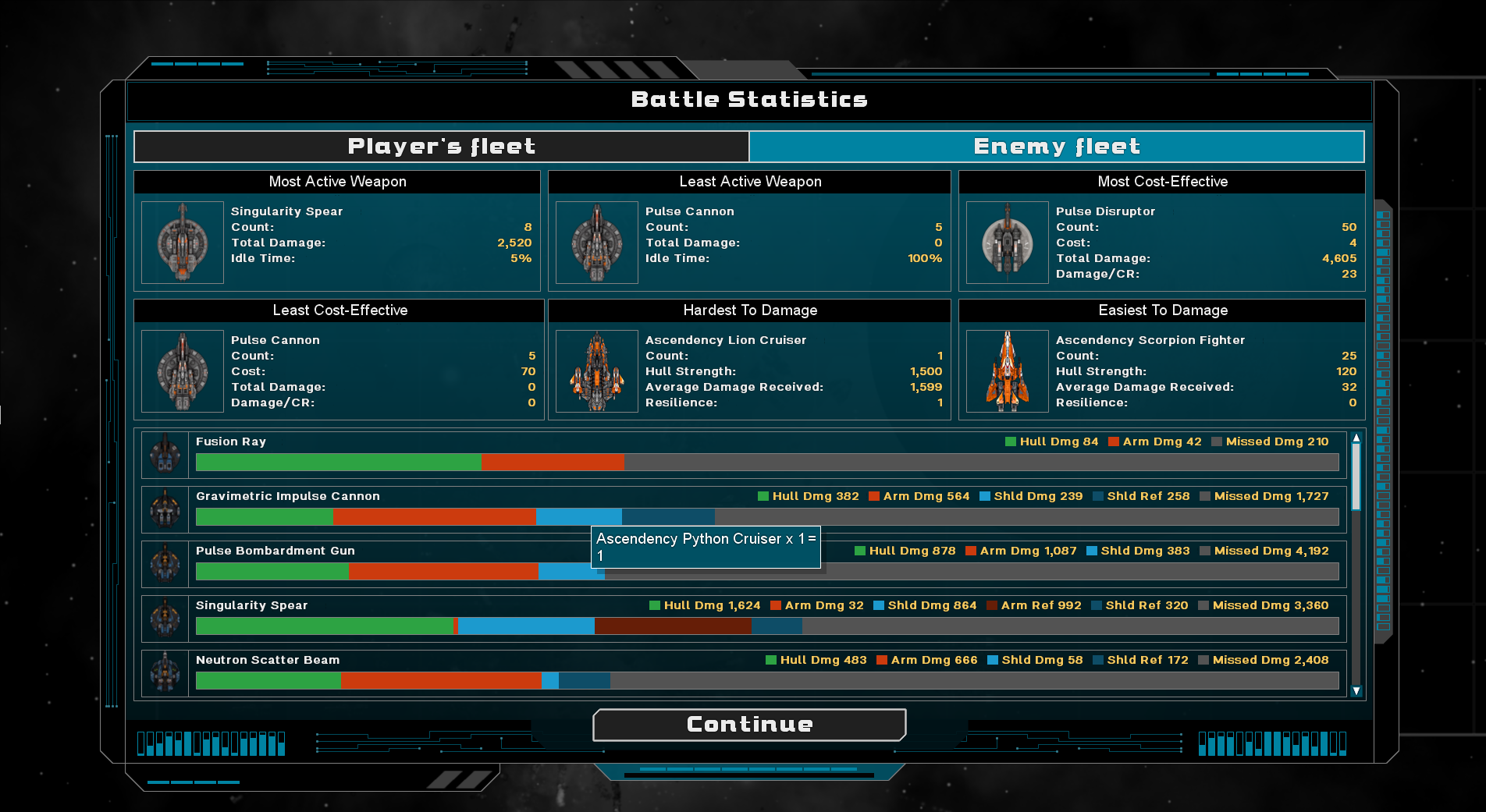
Although that was a big improvement, play-testing showed me that a key problem still remained (which is true of all auto-batllers), which was namely ‘How can I translate what I learn from all these stats into adjusting my deployment the next time I fight this battle? This is a big problem (and it was back in the Gratuitous Space Battles days), and I have experimented a lot and come up with a solution I am super happy with!
In hindsight, the solution is obvious. Give the player a way to view want went wrong last time, when they try the level again. In code terms, this was a ton of work, but it works!
So when a battle ends, after viewing the current stats (probably best thought of as stats-highlights now), if you then want to try the level again you have a togglable overlay over the deployment map which shows the fleet you tried last time, with a ton of stats for every single squadron showing how they did.
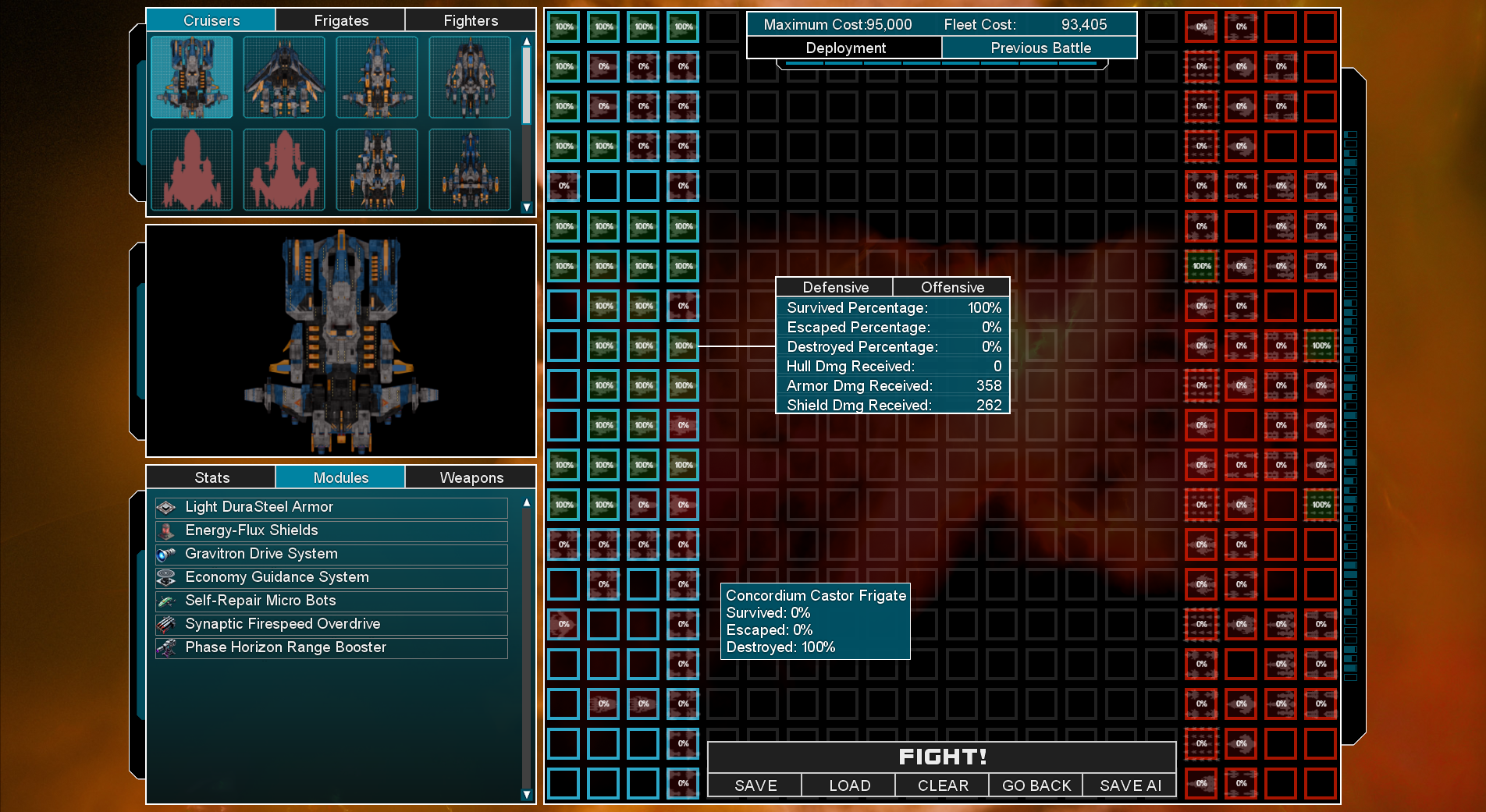
The coloured squares and the percentages show survival rates for each squad, and you get Survived/Escaped/Destroyed percentages as a tooltip, but click on any squad to see a pop-up with a bunch more stats, tabbed into defensive and offensive data.
And at any point you can use a hotkey (or the buttons at the top of the screen) to toggle from this ‘previous battle overlay’ to your placed deployment for your next attempt at a battle. This makes it SO MUCH EASIER to look at your deployment and work out what went wrong and why, and correct it for the next battle. It is also persistent saved-to-disk data, so you can come back to a failed mission months later and still see the battle stats from your last attempt.
I know the games development keeps taking longer and longer but its definitely getting to be a lot better as a result, and I would rather ship a great game late than a not-as-great game on time. Thanks for your patience, and for following its development! Since I took that screenshot, I have had a MUCH better idea for how to make that screen even better, and I’m working on that now. This means even more work, but its going to be awesome.